
Open the document
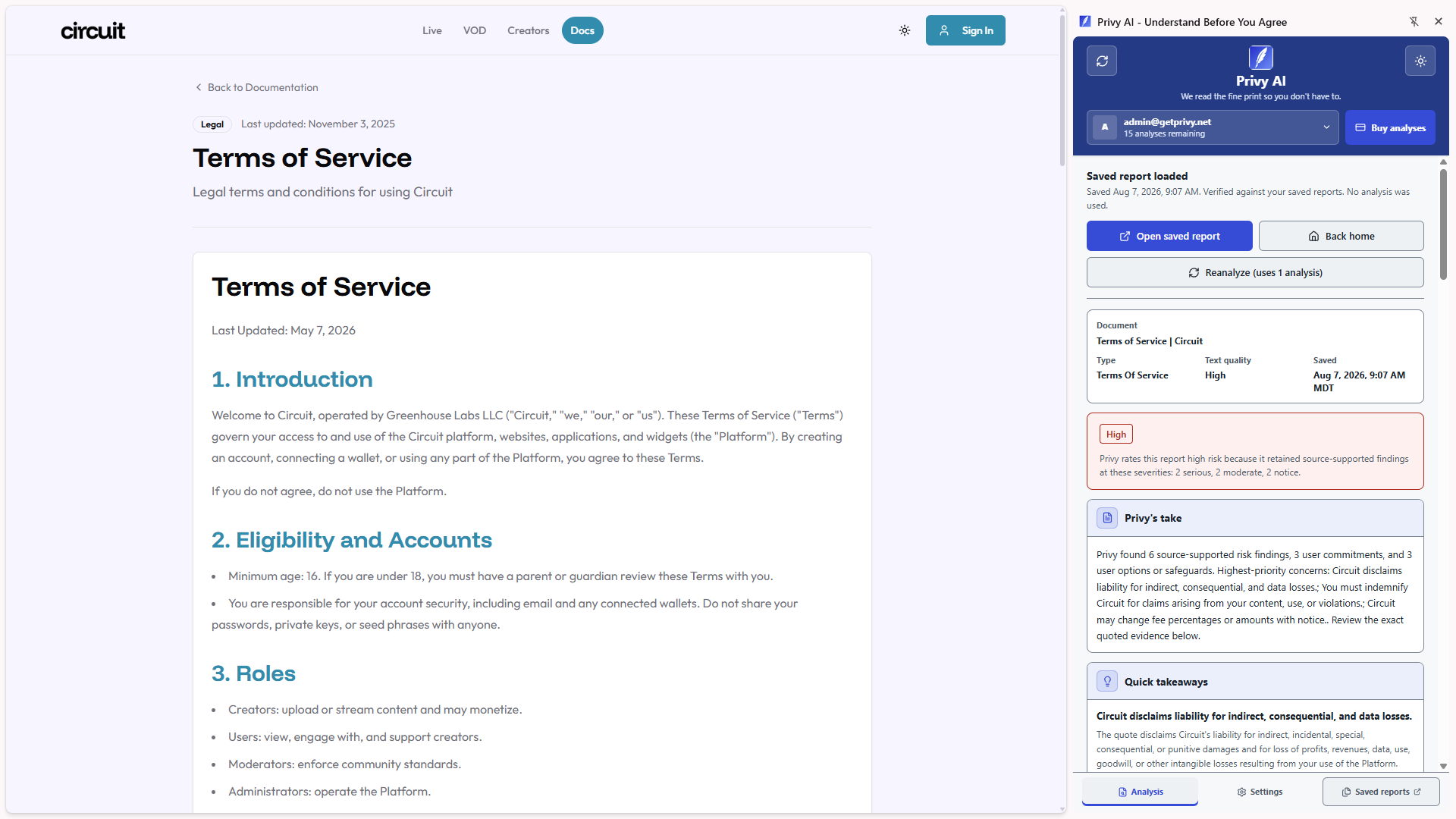
Visit a legal page, paste text into the side panel, or select a clause and use the right-click Privy action.
Chrome side-panel extension
Privy turns dense Terms of Service, privacy policies, EULAs, and subscription rules into clear takeaways grounded in the document's exact words.
Start with 3 analyses. One analysis is used only when a new report completes successfully.
How it works
Privy stays out of the way until a document deserves your attention.
Visit a legal page, paste text into the side panel, or select a clause and use the right-click Privy action.
Local detection can identify likely legal content without transmitting its text. Analysis begins only after your action.
See a summary, risk level and rationale, flagged clauses, exact quotes, favorable terms, and recommended actions before deciding.
Built for real decisions
Privy prioritizes concrete consumer consequences over generic summaries or dramatic AI claims.
Open Privy beside the page you are reading and start an analysis with an explicit click.
Analyze pasted language or right-click a selected clause without needing a dedicated legal page.
Discover privacy, refund, cookie, and subscription links related to the current site using local link inspection.
Flagged clauses include a source quote, consumer impact, severity, and a suggested action.
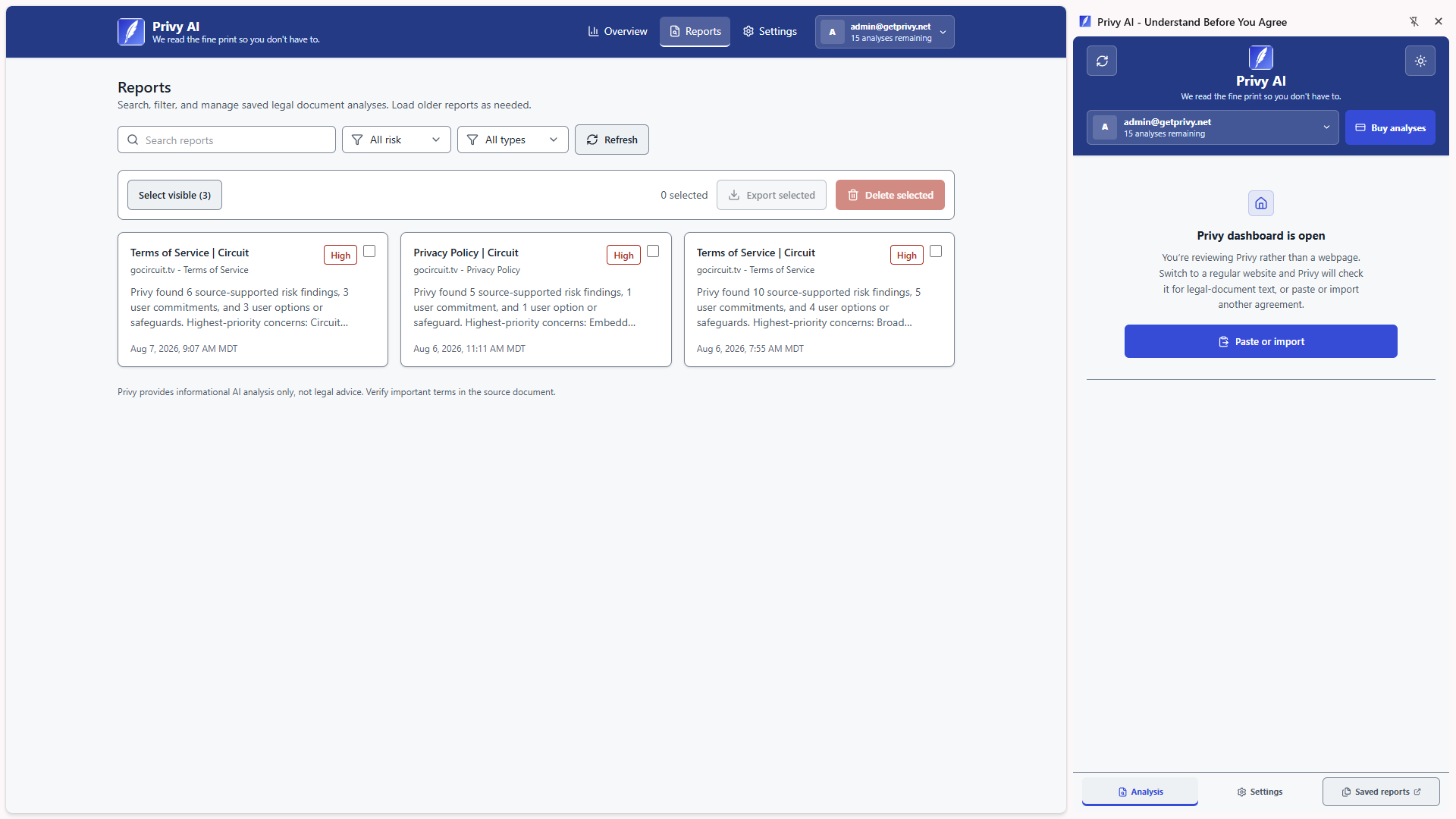
Authenticated users can search, filter, open, delete, and export structured reports from the dashboard.
Local caching and saved-report reuse avoid unnecessary repeat analyses and do not consume another analysis.
Risk categories
The analysis focuses on terms that can change what you pay, what happens to your data, and what options remain when something goes wrong.
Fees, automatic renewal, refunds, trial conversion, and difficult cancellation.
Collection, sharing, sale, advertising uses, retention, and account-linked activity.
Arbitration, class-action waivers, warranty disclaimers, indemnity, and liability limits.
Account suspension, content licenses, unilateral changes, and rules that limit your ability to leave.
Privacy and control
Privy can detect likely legal pages and discover related links locally. Document text is sent through the Privy API to OpenAI only after you start an analysis.
Page signals and related links are evaluated in your browser.
You choose whether to analyze the active page or selected text.
The selected text is processed into a structured, evidence-backed report.
The structured result can be saved and reused without another analysis.
Report dashboard
Keep a searchable history of the policies and terms you have reviewed. Filter by document type or risk, reopen the full evidence, delete a saved report, or export it as Markdown.
Simple pricing
No tiers, subscriptions, or monthly resets. Reused saved or cached reports do not use another analysis.
No payment details required
Adds 15 analyses to your balance
The pack price and quantity are fixed. Secure checkout is available inside Privy after sign-in.
FAQ
No. Privy can identify likely legal pages locally, but document text is sent for analysis only after you choose Analyze. There is no passive monitoring or automatic analysis.
When you start an analysis, the active-page text, pasted text, or selected text you chose is sent through the Privy API to OpenAI. Local detection and related-link discovery do not require sending the full document text.
One analysis is used only after a new report completes successfully. Failed requests and reopened saved or cached reports use nothing. Every account starts with 3 analyses.
No. Privy provides informational analysis, may miss context, and can make mistakes. Review the original document and consult a qualified professional when a decision has legal or financial consequences.
Yes. Privy can extract text locally from TXT, Markdown, PDF, and DOCX files up to 20 MB. The extracted text is sent for analysis only after you explicitly start one. Installer and executable scanning are not supported.
Privy supports Google Chrome using Manifest V3 and is available on the Chrome Web Store. Other Chromium browsers are not advertised as supported until they are tested and released.
Open Privy and select Buy analyses beside your current balance. Privy opens the purchase section in Settings, where you can securely buy 15 analyses for $5 through Stripe.
Privy is available now on the Chrome Web Store.